A patient records system is software that keeps each patient's registration details, visits, vitals, prescriptions, lab results and bills in one searchable file, instead of paper cards, registers and loose reports. For a clinic in Pakistan, moving from paper files to a patient records system mainly fixes three things: finding a returning patient in seconds, giving the doctor the full history at the consult, and passing a commission inspection without a hunt through cupboards.
This guide compares paper files and software honestly, lists what a good system must record, and shows how to move a clinic's old files across without stopping OPD.
Why are paper patient records a problem for clinics?
Paper records fail when a clinic grows past one doctor and one register: files go missing, handwriting cannot be read, and the same patient gets three different cards. These are not only daily irritations. They show up in regulator inspections.
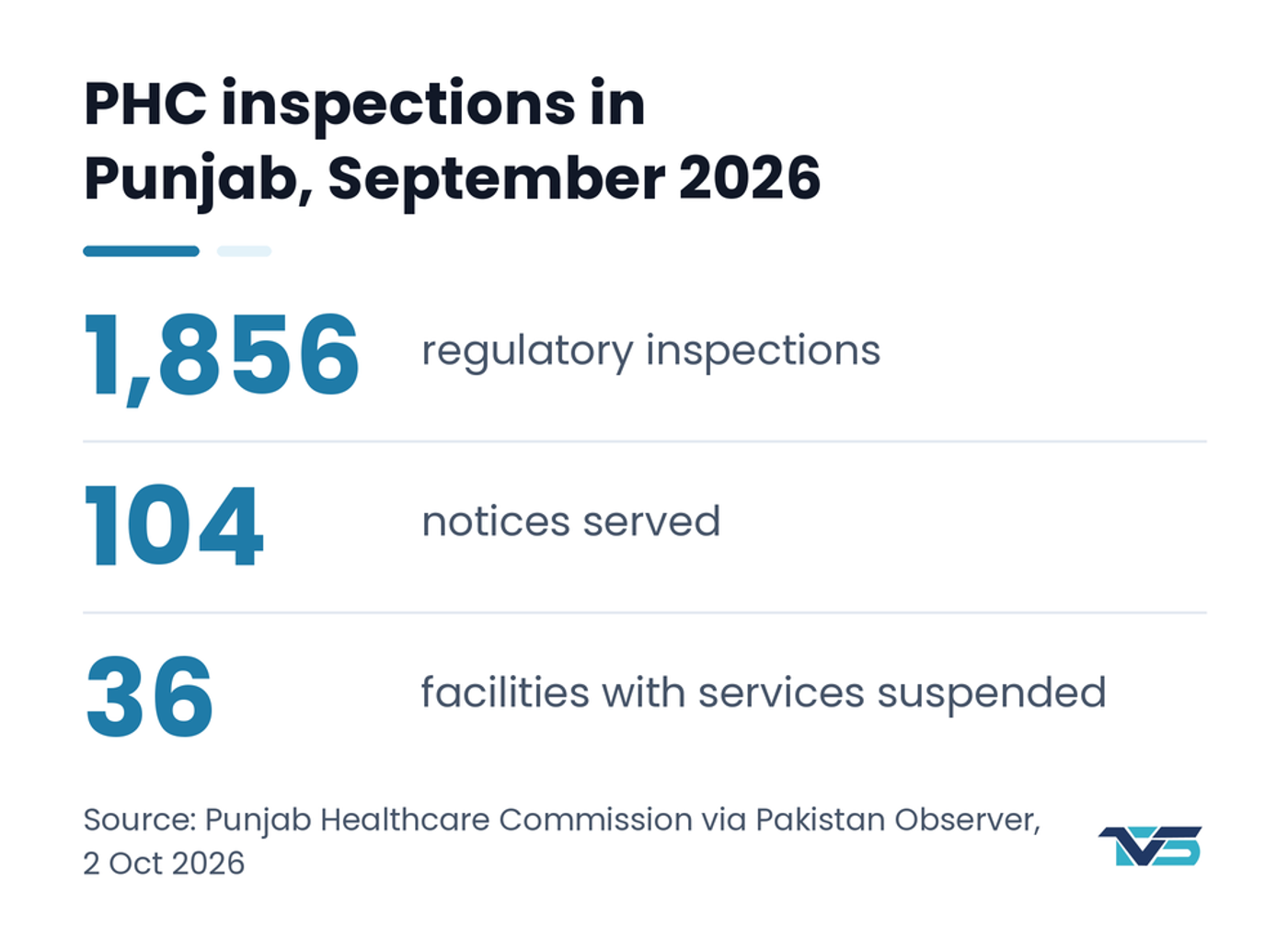
In September 2026 the Punjab Healthcare Commission carried out 1,856 regulatory inspections, served 104 notices, suspended services at 36 facilities and sealed 4, and it listed "poor maintenance of patient records" among the major violations found, alongside unqualified staff and expired medicines (Pakistan Observer, 2 October 2026). The inspections covered GP clinics, dental clinics, polyclinics, maternity homes and collection centres, not only large hospitals.
The national picture is similar. When the federal health ministry and NADRA announced the "One Patient One ID" plan, the federal health minister said, "There is currently no proper data system for patient records in Pakistan," and that the CNIC would act as the medical record (MR) number nationwide (Express Tribune, 18 April 2025). No rollout date for private clinics was given.
Paper files vs patient records software: how do they compare?
Software wins on search, history and audit; paper wins only on upfront cost and on working during a power cut. The table sets out the trade-offs a clinic owner actually faces.
| Question | Paper files and registers | Patient records software |
|---|---|---|
| Finding a returning patient | Search the register by date or memory | Search by name, mobile or patient ID |
| History at the consult | Only if the card is found | Visits, prescriptions, labs and bills in tabs |
| Duplicate cards | Common, one per visit or doctor | One patient ID from first registration |
| Outside lab and X-ray reports | Stapled or lost | Uploaded as PDF or image to the patient |
| Who changed what | Unknown | Audit log with old and new values |
| Inspection request | Hours of searching | Print or export from the record |
| Upfront cost | Low | Licence, setup and a computer at the desk |
| Power or internet outage | Still works | Needs a backup plan (UPS, printed day list) |
A patient records system does not make a clinic compliant on its own. Inspectors also check licensing, staff qualifications and infection control. What software changes is that records exist, are complete and can be shown on the day.
What should a clinic's patient record include?
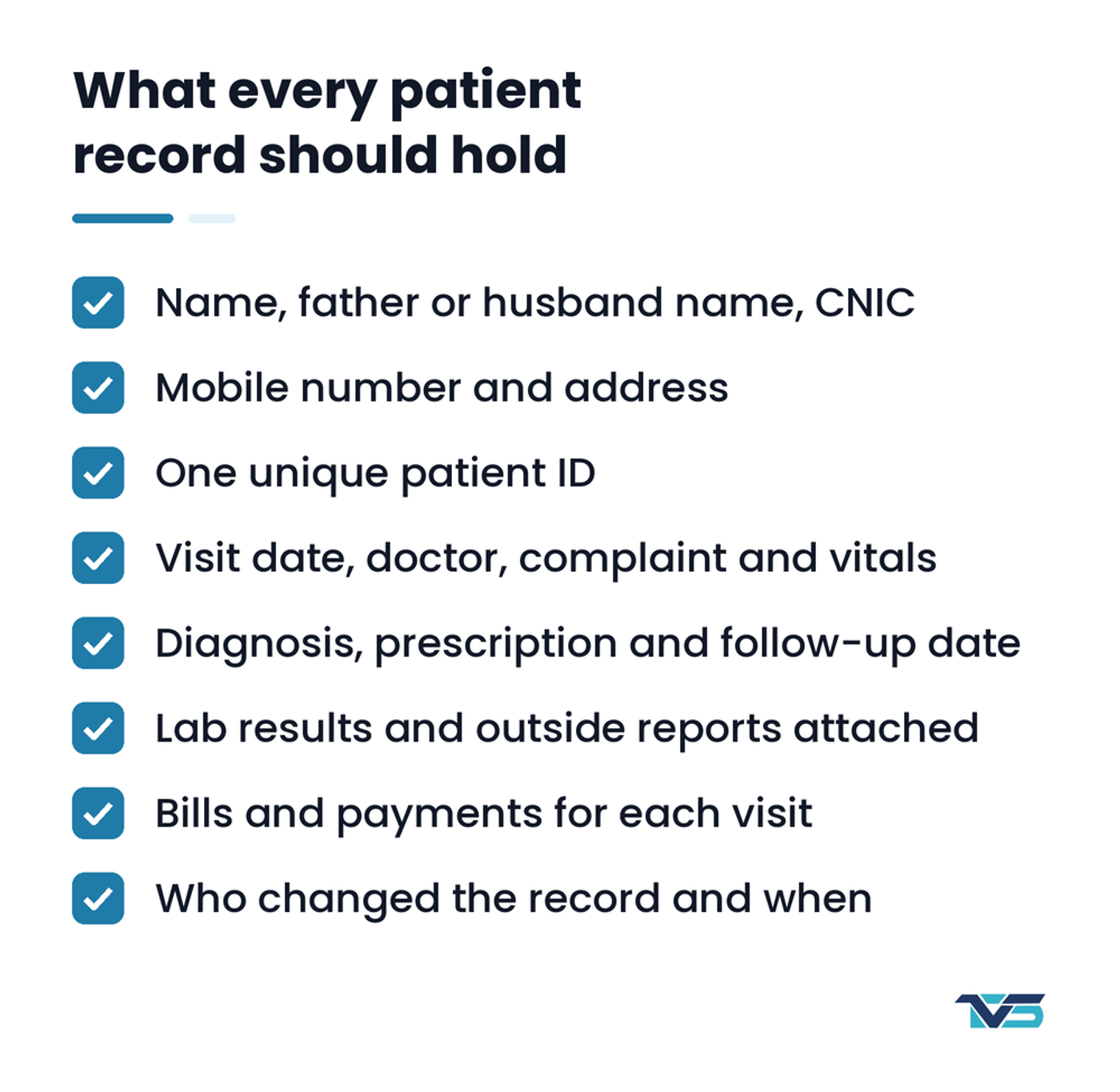
A useful patient record holds identity, contact, clinical history and money in one place, so the front desk, the doctor and the accounts person all work from the same file. Use this as a checklist when you design a paper form or test a software demo:
- Identity: full name, father or husband name, gender, date of birth or age, and CNIC where the patient has one.
- Contact: mobile number and address or village, since many families in Pakistan share one mobile.
- A unique patient ID given at first registration and printed on every slip.
- Visit details: date, doctor, complaint, and vitals (weight, temperature, blood pressure, blood sugar).
- Diagnosis and prescription: medicines with dose, frequency and duration, advice and the follow-up date.
- Lab results and outside reports, attached to the same patient, not filed separately.
- Bills and payments for each visit, so dues are visible at the next one.
- A record of changes: who edited the file and when.
How do you protect patient records and privacy in Pakistan?
Protect patient records by limiting who can see each part, locking finished entries, and keeping a log of every change. Pakistan still has no comprehensive personal data protection law: a draft bill was revised in 2023 but has not been passed, and health data is among the personal data that citizens hand over without one (Express Tribune, 24 August 2026). The Pakistan Medical and Dental Council's revised code of ethics, enforced in March 2026, places confidentiality and informed consent at its core (Dawn, 3 March 2026).
In practice, that means:
- Roles: the receptionist registers and issues slips; only the doctor writes prescriptions; only finance roles mark bills paid.
- Locking: prescriptions and lab results cannot be quietly rewritten after the visit.
- An audit trail so a disputed record can be checked.
- Backups kept outside the clinic computer, and a written rule on who may print or share a file.
Which features matter most in patient records software?
The features that matter are the ones your front desk uses all day: fast registration, search, and the history screen. Vendor pages in Pakistan, such as H-Cloud's clinic EMR page and Healthwire's clinic patient software, list specialty templates, visit and prescription history and patient access, but neither shows prices, CNIC fields, Urdu support or anything about PHC inspections. Ask about those in the demo.
Questions to ask in a demo
- Can the receptionist find a patient by mobile number when the family shares one phone?
- Does the prescription print in Urdu, and does it carry the clinic letterhead?
- Can outside lab or ultrasound reports be uploaded to the patient and found by date?
- What happens when a doctor wants to change a prescription two days later?
- Can patients see their own prescriptions and lab results?
- Which reports can be exported to Excel or PDF for an inspection?
For a wider buying checklist, see our guide to clinic management software in Pakistan; larger facilities should also read the hospital management system guide, which covers the PHC's HMIS plan for category-I private hospitals.
How does Solvix HMS keep patient records?
Solvix HMS is a hospital and clinic management system from Tech Vision Solvix, built for Pakistan, that keeps each patient's registration, visits, prescriptions, lab results and bills in one record. It runs in a web browser and covers the front desk, doctors, pharmacy, laboratory and accounts.
What it records, from the product's own feature list:
- Registration with name, father or husband name, gender, date of birth or age, mobile, blood group, CNIC and address, and an auto-generated patient ID.
- Search by name, mobile or patient ID, with patients who share one mobile shown together as a family.
- Patient history with tabs for all activity, OPD visits, prescriptions, inpatient stays, lab tests and billing.
- Outside documents (PDF, JPG, PNG) such as external lab or imaging reports, uploaded to the patient and searchable by test date.
- Digital prescriptions on the clinic letterhead, with Urdu text and a QR code that opens the patient portal. After a set edit window, prescriptions lock.
- Lab results that lock when finished; only users with a special permission can change them.
- An audit log of user actions with old and new values, and page access checked by role.
- A patient portal where patients see their prescriptions, lab results, bills and visit history.
What it does not do, so you can plan around it: it sends no SMS or WhatsApp reminders, has no radiology module (imaging reports are uploaded as documents), does not connect to lab analysers or government systems, and each installation serves one hospital or clinic, not a chain.
"The software is very effective and efficient. It doesn't just automate our work, it also helps us a lot with administration." (Aftab Toor, Commander (R), Board of Directors, Hamza Welfare Hospital, on Solvix HMS; translated from Urdu, watch the video)
See the full module list on the Solvix HMS page.
How do you move a clinic from paper files to software?
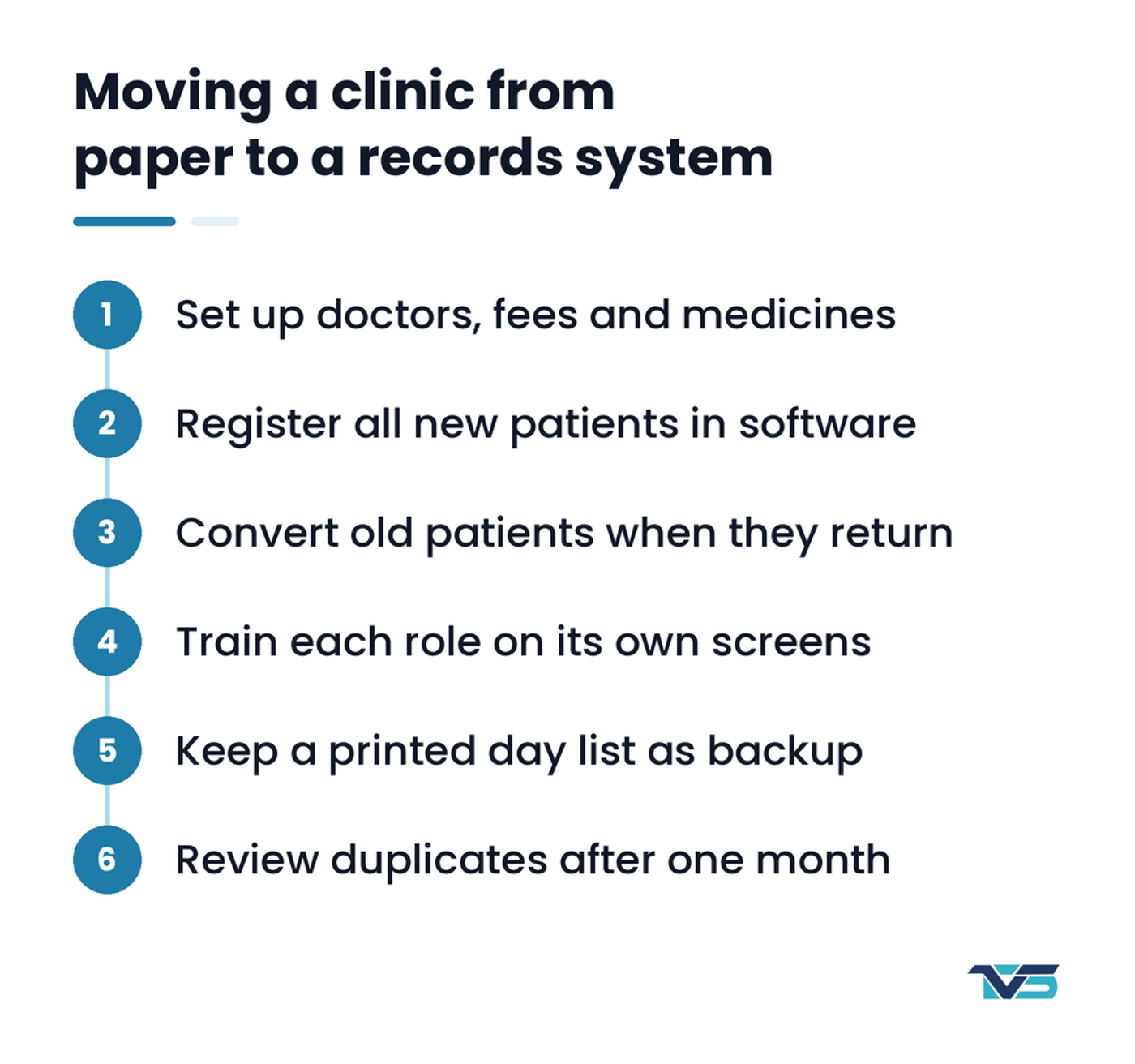
Move in stages: start new patients on software from day one, bring old files across as patients return, and keep paper as a backup for the first weeks. Trying to type in every old file before go-live stalls most clinics.
- Clean the master data: doctors, fees, service types and common medicines.
- Go live for new registrations on a fixed date; every new patient gets a software ID.
- Convert returning patients at the desk: when an old patient comes back, register them and scan the key pages of the old file as an uploaded document.
- Train by role: receptionists on registration and slips, doctors on the consult and prescription screen.
- Keep a paper fallback (a printed day list) for power or internet failures.
- Review after one month: check duplicate patients, missing CNICs and unused features.
If your clinic also runs on Excel sheets, our step-by-step guide to moving your business off Excel covers cleaning and importing data.
Frequently asked questions
What is a patient records system?
A patient records system is software that stores each patient's details, visits, prescriptions, lab results and bills in one file under a unique patient ID. Staff find a patient by name, mobile or ID instead of searching paper registers.
Is an electronic patient record legally required for clinics in Pakistan?
No general law requires small clinics to keep records electronically, but healthcare commissions inspect record keeping: the Punjab Healthcare Commission listed poor maintenance of patient records among major violations in its September 2026 inspections. The PHC plans a mandatory HMIS for category-I private hospitals first.
Can a clinic use the CNIC as the patient number?
Record the CNIC, but also give every patient a clinic ID, because children and many patients do not carry a CNIC. The federal "One Patient One ID" plan announced in April 2025 uses the CNIC as the MR number, but no rollout date for private clinics was given.
How long does it take to move a clinic from paper to software?
New registrations can move on the first day once doctors, fees and medicines are set up. Old files are best converted gradually, as each patient returns, rather than typed in all at once.
Can patients see their own records in Solvix HMS?
Yes. Solvix HMS has a patient portal where patients log in with their patient ID or mobile number and see their prescriptions, lab results, bills and visit history, and book appointments.
Next step
If your clinic still runs on paper cards and a register, start with registration and the doctor's history screen; the rest can follow. To see how Solvix HMS keeps patient records for a clinic like yours, book a demo with Tech Vision Solvix.