HR software in Pakistan is a system that keeps employee records, attendance, leave, loans and payroll in one place, so salaries follow what actually happened in the month. For most SMEs, the right choice is the one that handles your shifts, late rules and leave policy correctly, shows how each salary was worked out, and is honest about what it does not do.
This guide is for owners and HR managers at offices, factories, clinics and retailers who are moving off registers and Excel. It covers what to check, how vendors in Pakistan charge, and a test you can run in a demo before you sign anything.
What does HR software do for a Pakistani company?
HR software replaces the files, registers and spreadsheets where employee information usually lives. Instead of a CNIC copy in one folder, a leave form in another and salary in an Excel sheet, each employee has one record that every part of the system reads from.
In practice, a good system covers six jobs:
- Employee records: CNIC and its expiry, NTN, bank account and IBAN, joining date, department, designation, reporting manager and documents.
- Attendance: punches from fingerprint or face devices, shifts, late marks and overtime.
- Leave: leave types, yearly balances, applications and approvals.
- Payroll: monthly salary worked out from attendance, with allowances, deductions, bonuses and loan installments.
- Self-service: staff see their own payslips, leave balances and attendance without asking HR.
- Control: user roles, approvals and an audit trail of who changed what.
If you only need salary calculation, read our guide to payroll software in Pakistan first. HR software is the wider system that payroll sits inside.
Which features matter most for SMEs in Pakistan?
The features that matter most are the ones that remove monthly arguments: attendance that feeds payroll, clear late and overtime rules, and leave balances everyone can see. Glossy modules for performance reviews or recruitment are useful later, but they will not fix a salary sheet that nobody trusts.
Attendance that flows into payroll
Most disputes in Pakistani offices and factories start with attendance. Ask whether punches from your biometric devices arrive in the HR system by themselves, or whether someone exports a file and uploads it. Ask how night shifts that cross midnight are counted, and what happens when a worker forgets to punch out. Our biometric attendance buyer's checklist covers the device side.
Late, absent and overtime rules you can set
Every company has its own rules: a grace period, a late slab where three late days cost half a day, a 26-day or 30-day divisor, and higher overtime rates on weekends and public holidays. The software should let you set these yourself and show the formula behind each deduction. If a vendor says the rules are "custom development", expect delays every time a rule changes.
Leave policies and balances
Check that you can define each leave type (casual, sick, annual, unpaid) with its own yearly days, carry-forward limit and half-day option, and that balances are pro-rated for mid-year joiners. Approved leave should mark the day in attendance, so it is not counted as an absence.
Loans and advances
Many Pakistani employers give staff loans and recover them over several months. The system should schedule the installments and deduct them in payroll, so nobody has to remember.
Statutory figures you still need to watch
Your HR system has to work with figures that change by province and by year. For 2026-27, the federal budget raised the minimum wage for unskilled workers to Rs40,700 a month, while Sindh notified Rs43,000 a month from 1 July 2026. Punjab has gazette-notified a Rs40,000 monthly wage ceiling for PESSI contributions. The basis for EOBI contributions has been disputed in the courts for years, with different high courts taking different views. Our 2026-27 payroll changes checklist covers the tax side.
Ask every vendor which of these figures the software calculates and which you enter yourself. Many systems store an EOBI number or a tax amount without calculating it, and the difference only shows up at year end.
How does pricing for HR software work in Pakistan?
Vendors in Pakistan charge in one of three ways: a fee per employee per month, a flat monthly or yearly plan for a set headcount, or a quote after a demo. Most local vendors do not publish prices at all.
Here is what vendor pages showed when we checked them in November 2026:
| Vendor | How it charges | Published price |
|---|---|---|
| WebHR | Per employee per month | Free up to 5 employees; $2 on a yearly plan, $3 on a monthly plan (web.hr) |
| IceHrm Pro | Yearly licence by headcount | From $599 a year for up to 50 employees (IceHrm) |
| SmartHCM | Quote after demo | No price shown (SmartHCM) |
On the SoftwareSuggest list of HR software in Pakistan (updated 5 November 2026), 11 of the 20 products we could see were "available on request", including local names such as TimeTrax and Connect HR.
When you compare quotes, ask what is included: set-up, data entry from your Excel sheets, device connection, training, and changes when a rule changes. A low monthly fee can hide a large set-up charge, and a per-employee price grows every time you hire.
How to choose HR software: a step-by-step test
The best way to choose is to run your own last month through each shortlisted system and compare the result with what you actually paid. A demo with the vendor's sample data proves very little.
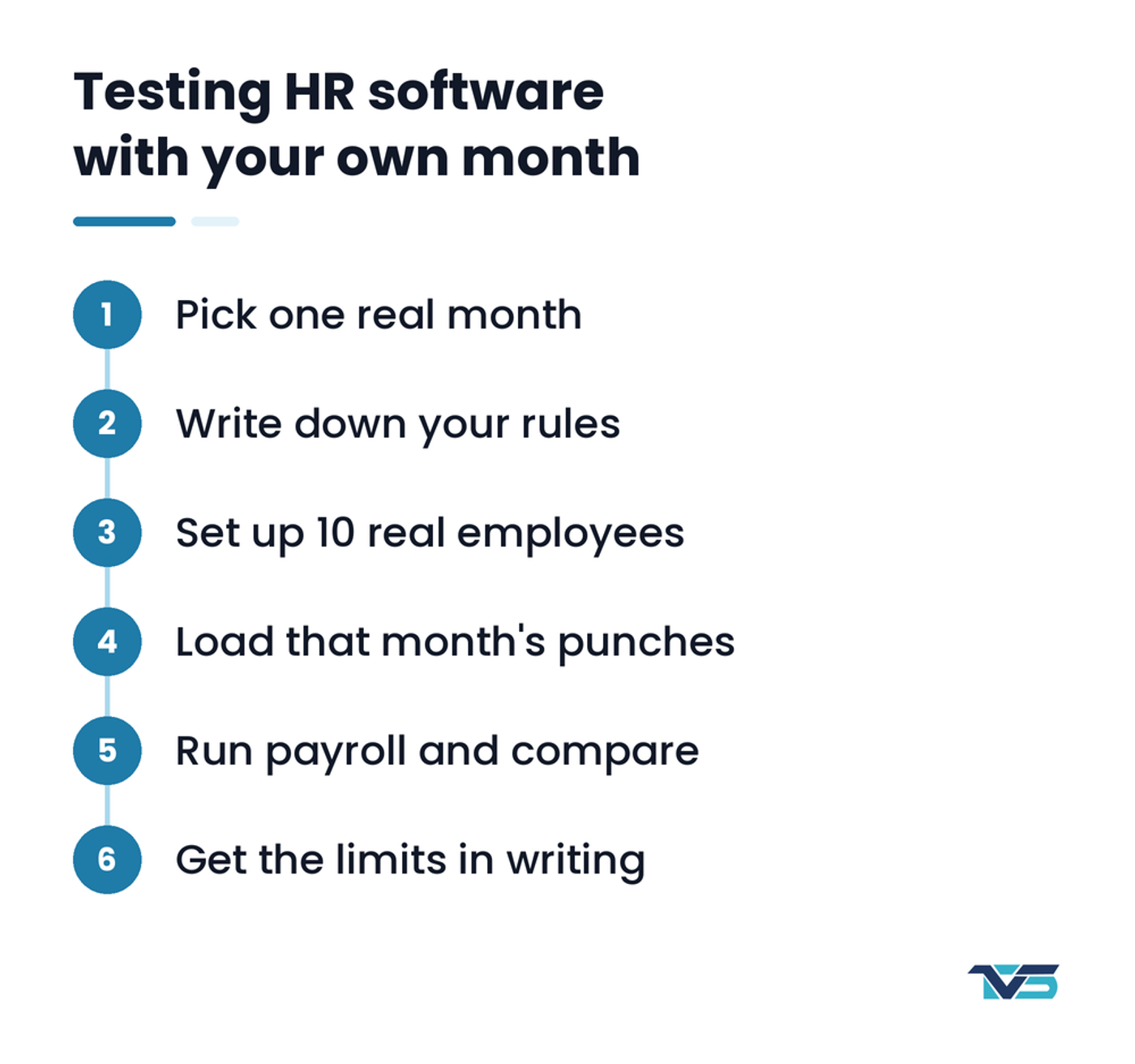
- Pick one real month. Choose a month with some late days, a few absences, overtime and at least one new joiner.
- Write down your rules. Grace minutes, late slabs, divisor, overtime rates, leave types and loan installments, on one page.
- Ask the vendor to set those rules up in the demo, without custom development.
- Enter 10 employees with their real shifts, salaries and leave balances.
- Load that month's punches from your device, or ask the vendor to connect a device.
- Run payroll and compare each net salary with what you paid. Ask the system to explain any difference line by line.
- Check the employee view. Log in as a staff member and see what they can see: payslip, leave balance, attendance.
- Ask for the "does not do" list in writing: tax, EOBI, social security, mobile check-in, branches, email or WhatsApp payslips.
Local HR software or an international system?
For most SMEs in Pakistan, a local system is the better fit, because it is built around PKR salaries, CNIC records, Pakistani shift patterns and local support hours. International systems are strong on recruitment, performance and global payroll, but they often price in dollars per employee and need local configuration for late slabs, divisors and provincial wage rules.
| Question | Local HR software | International HR suite |
|---|---|---|
| Currency and records | PKR, CNIC and NTN built in | Often needs custom fields |
| Late slabs and divisors | Usually built in | Often configured or missing |
| Price | PKR or low dollar fee, or quote | Usually dollars per employee |
| Support | Usually Pakistani working hours | Email or ticket, other time zones |
We compared these options in more detail in Tech Vision Solvix vs international ERP.
What about employee data and privacy?
Employee data is sensitive: CNIC numbers, bank accounts, salaries and family details. Pakistan does not yet have an enacted personal data protection law; as of August 2026 the Personal Data Protection Bill was still a draft. That puts the responsibility on you.
Before you sign, check:
- who can see salaries and bank details, and whether you can limit it by role;
- whether every change is recorded in an audit trail;
- where the data is hosted and who holds the backups;
- how you get your data out if you leave the vendor.
Solvix HCM: HR and payroll by Tech Vision Solvix
Solvix HCM is HR and payroll software in Pakistan, built by Tech Vision Solvix, that calculates monthly salary from biometric attendance, leave and loans. It runs in the browser, with separate portals for admins, managers and employees.
What it does:
- Employee records with CNIC and expiry, NTN, salary bank account and IBAN, documents, transfers and an org chart.
- Punches from fingerprint or face devices arrive in real time and recalculate the day, including night shifts that cross midnight.
- Late deductions by grace minutes or slab, absent deductions, and overtime at separate weekday, weekend and holiday rates. Only overtime an admin approves is paid.
- Leave types, policies, pro-rated balances and online applications with manager approval.
- Staff loans with monthly installments deducted in payroll.
- Payslips published to the employee portal, where staff download the PDF and mark it received. Each amount in the payroll run opens the formula behind it.
- A bank payment CSV, salary register and other reports, plus an audit trail.
What it does not do: income tax is entered by hand, not calculated from FBR slabs, and EOBI and PESSI contributions are not calculated. Payroll is monthly only, there is no phone or GPS check-in, payslips are not sent by email or WhatsApp, and each installation covers one company. See the full list on the Solvix HCM page. Factories can also read about our factory attendance system. If you run a school, EduVision360 covers teacher attendance and salaries instead.
Frequently asked questions
What is the difference between HR software and payroll software?
Payroll software calculates salaries and payslips. HR software is the wider system that also keeps employee records, attendance, leave, loans and approvals, and feeds that information into payroll so salaries match what happened in the month.
How much does HR software cost in Pakistan?
Vendors charge per employee per month, a flat plan for a set headcount, or a quote after a demo. WebHR, for example, listed $2 per employee per month on a yearly plan in November 2026, but most local vendors only quote on request, so ask what set-up and training cost too.
Does HR software calculate EOBI and income tax?
Some systems do and some only store the numbers. Ask each vendor to show the calculation for one employee in the demo, because the EOBI basis is disputed in the courts and tax slabs change every budget.
Can a small company with 15 employees use HR software?
Yes. A small company often gains the most, because one person usually handles attendance, leave and salaries alone. Start with records, attendance, leave and payroll, and add other modules later.
How long does it take to move from Excel to HR software?
It depends on how clean your data is and how many rules you have. Running one test month side by side with your old method is the safest way to switch; our guide on moving your business off Excel explains the steps.
Next step
Write down your attendance and salary rules on one page, then ask each vendor to run last month for 10 of your employees. If you want to see Solvix HCM do that with your own data, book a demo with Tech Vision Solvix.